Author: NTELogic

  • Why IT Support for Growing Businesses Matters More Than Ever

    Why IT Support for Growing Businesses Matters More Than Ever

    For many businesses across the Mother Lode and Central Valley, technology has grown one decision at a time.

    A new software subscription here. An employee account there. A workaround that solved a problem years ago and simply became “the way we do things.”

    Over time, those small decisions add up.

    You may still be paying for software no one uses anymore. Former employees may still have lingering account access. Your team may rely on multiple systems, sticky notes and spreadsheets just to keep daily operations moving.

    Nothing may appear broken on the surface, but the environment starts feeling heavier, more complicated and harder to manage than it should.

    And when even small changes feel risky, many businesses simply leave things alone.

    Why IT Cleanup Feels Overwhelming

    Cleaning out a storage room is easy because you can physically see what’s there.

    Technology environments are different.

    Most businesses today rely on a mix of cloud services, email platforms, remote access tools, business applications, mobile devices and third-party vendors. Some systems were set up years ago. Others may have been configured by former employees or outside consultants who are no longer involved.

    Documentation is often incomplete. Passwords may live in multiple places. Ownership becomes assumed instead of clearly defined.

    Eventually, your IT environment becomes less of a structured system and more of a collection of “things that work.”

    That creates real challenges:

    • No clear picture of everything connected to your business
    • Uncertainty about what is safe to remove or consolidate
    • Concerns about disrupting operations
    • Increased security risks from outdated systems and unused accounts
    • Rising costs from duplicate tools and unnecessary subscriptions

    For many business owners and managers, the issue is not a lack of awareness. It’s a lack of visibility and confidence.

    The Risk of Leaving Things Alone

    When technology clutter builds up, businesses often accept it as normal.

    But outdated systems and unmanaged access quietly create operational and security risks over time.

    Old software becomes harder to support and more vulnerable to cyber threats. Unused accounts can become entry points for attackers. Teams create their own processes because no one is certain which system should actually be used.

    The result is inefficiency, confusion and growing complexity.

    In industries common throughout our region — agriculture, manufacturing, hospitality, professional services and local government — even small disruptions can impact customer service, production schedules and day-to-day operations.

    The good news is that resolving these issues does not require a massive overhaul.

    It starts with clarity.

    What a Good IT Partner Actually Brings to the Table

    At NTELogic, we believe a good IT provider should act more like a guide than a salesperson.

    The goal is not to overwhelm businesses with technical jargon or unnecessary tools. The goal is to help business owners clearly understand their environment, reduce risk and make confident decisions.

    A trusted IT partner brings several important advantages:

    An Outside Perspective

    When businesses work in the same systems every day, inefficiencies become easy to overlook. An experienced outside partner can quickly identify duplication, unnecessary complexity and hidden risks.

    Experience Across Many Businesses

    Every growing business faces similar challenges at different stages. We’ve seen what happens when systems evolve without structure, when access is not properly managed and when older technology quietly creates operational drag.

    That experience helps avoid costly mistakes.

    A Structured Process

    Effective IT cleanup is methodical.

    First comes discovery and visibility. Then comes reviewing systems, accounts, licenses, workflows and security practices. From there, businesses can prioritize what should be retired, consolidated, documented or improved.

    Changes are made carefully and with purpose — not guesswork.

    Confidence and Stability

    The right IT partner helps ensure critical systems stay operational while improvements are made. That means less disruption, fewer surprises and a smoother path forward.

    Why This Matters for Growing Businesses

    Growth naturally increases complexity.

    More employees mean more accounts and devices to manage. More customers mean more sensitive information to protect. More services and locations mean more systems that need to work together reliably.

    What worked for a small team may no longer support a growing organization efficiently.

    An organized IT environment creates stability. Teams know which systems to use. Support becomes simpler. Security improves. Leadership gains confidence that the business can continue scaling without technology becoming an obstacle.

    Instead of working around your systems, your systems begin working for you.

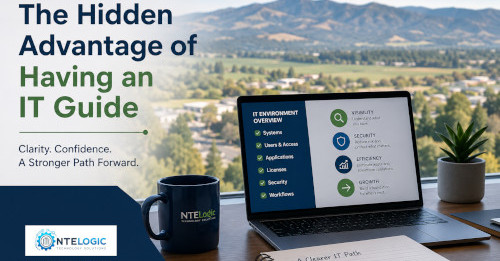
    Start with Visibility

    You do not need to rebuild everything overnight.

    The first step is simply understanding what exists today:

    • What systems are in place
    • Who has access
    • What tools overlap
    • What subscriptions are still active
    • Where risks and inefficiencies may exist

    Once that picture becomes clear, better decisions become easier.

    At NTELogic, we help businesses throughout the Mother Lode and Central Valley bring clarity and structure back to their technology environments — without unnecessary complexity or pressure.

    Ready to Simplify Your IT Environment?

    If your business has grown faster than your technology planning, now is a good time to take a closer look.

    NTELogic can help you identify hidden risks, reduce unnecessary complexity and create a more secure, manageable technology environment that supports your business as it continues to grow.

    Contact NTELogic Technology Solutions today to schedule a discovery conversation and take the first step toward a cleaner, more organized and more reliable IT environment.

  • Automation Shortcuts That Save Time and Money for Mother Lode & Central Valley Businesses

    Automation Shortcuts That Save Time and Money for Mother Lode & Central Valley Businesses

    For many businesses across the Mother Lode and Central Valley, the workday is filled with small manual tasks that quietly consume time, create frustration and slow down growth.

    A local office manager enters the same customer information into multiple systems. A dairy operation waits on approvals because requests are buried in email inboxes. A hospitality business struggles with onboarding seasonal employees because account setup depends on handwritten checklists.

    None of these issues seem dramatic on their own.

    But over weeks and months, they add up to hundreds of lost hours, unnecessary payroll costs and missed opportunities to better serve customers.

    At NTELogic Technology Solutions, we see this every day. The good news is that solving these problems doesn’t require a massive technology overhaul or an enterprise-sized budget. In many cases, the biggest wins come from practical automation shortcuts that remove everyday friction from your business operations.

    The Hidden Cost of Manual Work

    Most businesses already have technology in place. The challenge is that many daily processes still rely heavily on repetitive manual steps.

    By the middle of the day, employees may have already:

    • Entered the same information multiple times
    • Chased approvals through email
    • Reset passwords manually
    • Checked systems that could monitor themselves
    • Repeated routine tasks that should already be standardized

    Individually, these interruptions seem minor. Collectively, they drain productivity, create avoidable errors and pull employees away from the work that actually grows the business.

    For smaller and midsize organizations in rural communities like Sonora, Jamestown, Modesto and Turlock, these inefficiencies often go unnoticed because everyone is simply focused on getting through the day.

    That’s where automation can make a measurable difference.

    5 Automation Shortcuts That Deliver Immediate Value

    The best automation strategies focus on removing repetitive work that shouldn’t require skilled attention in the first place.

    1. Eliminate Duplicate Data Entry

    If your staff is entering customer, vendor or inventory information into multiple systems, your business is paying for the same work more than once.

    Connecting systems so information flows automatically can:

    • Reduce human error
    • Improve reporting accuracy
    • Eliminate repetitive administrative work
    • Free up billable or revenue-generating time

    For agricultural operations, professional offices and hospitality businesses throughout the Central Valley, this can dramatically improve efficiency without adding complexity.

    2. Streamline Common Internal Requests

    Password resets, approval requests and access changes may only take a few minutes each, but the constant interruptions break focus and slow productivity.

    Automation can route and process these requests automatically so your team spends less time waiting and more time working.

    The result:

    • Faster response times
    • Less frustration for employees
    • Reduced IT overhead
    • Better operational consistency

    3. Automate Employee Onboarding & Offboarding

    Inconsistent onboarding creates confusion. Incomplete offboarding creates security risks.

    Automation ensures the right systems, permissions and processes are handled consistently every time.

    Benefits include:

    • Improved cybersecurity
    • Faster employee productivity
    • Reduced administrative workload
    • Better compliance and accountability

    This is especially important for organizations with seasonal staffing, multiple locations or remote workers.

    4. Replace Manual Monitoring with Smart Alerts

    Too many businesses still rely on someone manually checking backups, systems or reports to confirm everything is working properly.

    Modern monitoring tools can automatically alert your IT provider the moment something needs attention.

    That means:

    • Faster response to issues
    • Less downtime
    • Reduced monitoring labor
    • Improved business continuity

    For businesses operating 24/7 – including dairy, agriculture and hospitality operations – proactive monitoring is critical.

    5. Standardize Repetitive Processes

    When tasks are handled differently every time, mistakes become inevitable.

    Automation helps standardize repeatable processes so the same steps happen consistently across your organization.

    This leads to:

    How to Identify Automation Opportunities

    You don’t need to be an automation expert to recognize where your business is losing time.

    In most organizations, the best opportunities are hiding in plain sight.

    Ask yourself:

    • Where does work consistently slow down?
    • What tasks frustrate employees the most?
    • Which processes rely heavily on manual entry?
    • Where do small mistakes create larger cleanup work later?
    • What repetitive tasks consume time every single day?

    Those answers usually point directly to the areas where automation can create the fastest return on investment.

    Why Your IT Foundation Matters

    Automation works best when it’s built on a stable, secure and organized IT environment.

    If systems are disconnected, outdated or poorly managed, automation can actually increase confusion instead of reducing it.

    That’s why successful automation starts with understanding how your business operates – not simply buying new software.

    At NTELogic Technology Solutions, we help businesses throughout the Mother Lode and Central Valley identify practical ways to reduce friction, improve efficiency and strengthen security using the technology they already rely on every day.

    Our approach focuses on:

    • Simplifying operations
    • Improving cybersecurity
    • Reducing downtime
    • Strengthening business continuity
    • Helping your team work more efficiently without adding complexity

    Stop Losing Time to Repetitive Work

    The most valuable automation improvements are often the quietest ones.

    They eliminate duplicate steps. Reduce interruptions. Prevent small problems from becoming expensive ones.

    And they help your business operate more smoothly, securely and efficiently every day.

    If your business is spending too much time on repetitive manual work, it may be time to take a closer look at your IT environment.

    Ready to Find Hidden Efficiency Opportunities?

    Contact NTELogic Technology Solutions to schedule a discovery conversation with our team. We’ll help you identify practical automation opportunities that can save time, reduce frustration and support long-term growth for your business across the Mother Lode and Central Valley.

  • How Mother Lode & Central Valley Businesses Can Prevent Costly Downtime

    How Mother Lode & Central Valley Businesses Can Prevent Costly Downtime

    At NTELogic, we provide managed backup & disaster recovery services to help businesses across the Mother Lode and Central Valley recover quickly from technology failures.

    When business owners think about downtime, they often imagine major events like cyberattacks, natural disasters, or large-scale power outages.

    While those situations do happen, they are not the most common reason businesses lose productivity.

    Across the Mother Lode and Central Valley, most downtime is caused by everyday technology issues.

    A spilled drink on a laptop.
    A deleted file.
    A failed software update.
    A computer that finally stops working.

    These small problems can stop work instantly if there isn’t a fast way to recover systems and data.

    At NTELogic, we regularly help businesses throughout Sonora, Jamestown, Columbia, Angels Camp, Oakdale, Modesto, and surrounding Central Valley communities recover from these situations.

    In most cases, the issue isn’t the incident itself.

    The real cost comes from how long it takes to get back to work.

    The Most Common Causes of Business Downtime

    Many business interruptions don’t come from disasters or cyberattacks. They come from normal workplace events that happen every day.

    A Simple Accident with a Laptop

    A cup of coffee tips over onto a laptop.

    The screen flickers and the computer shuts off.

    Now the employee suddenly loses access to:

    • Email communication
    • Project documents
    • Customer records
    • Calendars and appointments

    Work stops immediately.

    If there is no quick way to restore the employee’s data and environment, the business could lose hours of productivity.

    Accidentally Deleted Files

    Human error is one of the most common technology issues businesses face.

    A file may be deleted accidentally, or someone may save over the only copy of an important document.

    Employees begin searching through:

    • Shared folders
    • Email attachments
    • Archived folders
    • Old storage drives

    What should be a quick fix turns into hours of lost time.

    With proper backup systems, restoring a file should take only a few minutes.

    Software Updates That Go Wrong

    Regular updates are essential for security and performance.

    However, sometimes an update can cause unexpected issues.

    • Applications stop working
    • Computers run extremely slow
    • Systems fail to boot

    Without backup and rollback capability, businesses may lose half a day or more troubleshooting the issue.

    Aging Technology That Finally Fails

    Eventually every computer or server reaches the end of its lifespan.

    When that system fails, businesses must determine:

    • How quickly a replacement system can be installed
    • How to restore critical data
    • How to reinstall business applications

    Without a recovery plan in place, even a single hardware failure can disrupt an entire team.

    Why Downtime Is a Business Continuity Issue

    No matter what causes downtime, the results are always the same.

    • Employees cannot work
    • Customers wait longer for service
    • Projects are delayed
    • Revenue opportunities are lost

    For small and midsize businesses across the Mother Lode and Central Valley, even a short interruption can have a measurable financial impact.

    Quick Downtime Cost Check

    Try this quick exercise.

    • How many employees rely on computers to do their jobs?
    • What is the average hourly cost of those employees (wages + overhead)?
    • Multiply that number by the number of employees.

    Example:

    10 employees × $35/hour = $350 per hour of downtime

    If systems stop working for 4 hours, that’s $1,400 in lost productivity – not including delayed projects or missed opportunities.

    Most technology problems aren’t dramatic events.

    They are everyday issues.

    The real question is:

    How quickly could your business recover?

    How Managed Backup Protects Your Business

    Modern businesses rely on managed backup and disaster recovery solutions to minimize downtime.

    A well-designed backup system typically includes:

    • Automated backups of critical data
    • Secure offsite or cloud backup storage
    • Image-based system backups
    • Rapid file restoration capability
    • Regular backup monitoring and testing

    These protections ensure businesses can recover quickly when technology problems occur.

    Protect Your Business with Managed Backup & Disaster Recovery

    At NTELogic, we help businesses across the Mother Lode and Central Valley implement backup and disaster recovery systems designed to keep operations running.

    Our Managed Backup service includes:

    • Automated monitored backups
    • Rapid file restoration
    • Full system recovery
    • Secure offsite backup storage
    • Backup verification and testing

    If you’re unsure how quickly your business could recover from a technology failure, we can help review your current backup strategy.

    📞 Mother Lode: (209) 694-4599
    📞 Central Valley: (209) 790-4560

    Backup & Disaster Recovery for Mother Lode and Central Valley Businesses

    NTELogic provides managed IT services, cybersecurity protection, and backup & disaster recovery solutions for businesses throughout the Mother Lode and Central Valley.

    We work with organizations in:

    • Sonora
    • Jamestown
    • Columbia
    • Angels Camp
    • Groveland
    • Oakdale
    • Modesto
    • and surrounding communities.

    Our goal is simple: help local businesses recover quickly from technology failures so operations continue without disruption.


    NTELogic provides managed IT services, cybersecurity protection, and backup & disaster recovery solutions for businesses throughout the Mother Lode and Central Valley.

    We work with organizations in Sonora, Jamestown, Columbia, Angels Camp, Groveland, Oakdale, Modesto, and surrounding communities to ensure their data is protected and their operations can quickly recover from unexpected technology issues.

    Whether it’s recovering from a failed computer, restoring a deleted file, or rebuilding systems after a larger outage, our goal is simple: keep local businesses running with minimal disruption.

  • AI-Powered Cyberthreats Are Here – What Mother Lode & Central Valley Businesses Need to Know

    AI-Powered Cyberthreats Are Here – What Mother Lode & Central Valley Businesses Need to Know

    Artificial intelligence is no longer just a productivity tool – it’s now one of the most powerful weapons cybercriminals have ever had.

    Across the Mother Lode and Central Valley, small and mid-sized businesses are being targeted at an accelerating pace. These attacks are faster, more convincing, and harder to detect than anything we’ve seen before. And for most local businesses, the reality is sobering:

    It’s no longer a question of if an attack will happen – but when.

    From agricultural operations and professional offices to healthcare clinics, contractors, retailers, and municipalities, attackers know exactly where to look: organizations that rely on technology every day but don’t have enterprise-level security teams watching the gates 24/7.

    The New Threat Landscape: AI Has Changed the Rules

    Cybercrime has evolved. AI allows attackers to automate, personalize, and scale attacks in ways that bypass traditional defenses – especially in smaller organizations.

    Here’s what we’re seeing right now.

    Phishing That Looks Legitimate – Because It Is

    Phishing emails used to be obvious. Poor grammar, strange wording, or suspicious links made them easy to spot.

    AI erased those red flags.

    Today’s phishing messages:

    • Match your company’s tone and branding
    • Reference real vendors, invoices, or projects
    • Use perfect grammar and realistic urgency

    Attackers can even clone your website or vendor portals, tricking employees and customers into entering credentials or payment details without realizing anything is wrong.

    Deepfake Voice & Video Scams Targeting Owners and Managers

    Imagine getting a call that sounds exactly like your business partner, general manager, or CEO – complete with urgency and inside knowledge.

    AI-generated voice and video deepfakes are now being used to:

    • Request urgent wire transfers
    • Approve payroll or vendor changes
    • Override normal verification procedures

    These attacks exploit trust, not technology – and they’re hitting small businesses hard because internal controls are often informal.

    Ransomware Without Hackers

    You no longer need advanced technical skills to launch ransomware.

    AI-powered “ransomware-as-a-service” platforms allow attackers to:

    • Rent ready-made attack tools
    • Automatically scan for vulnerable systems
    • Launch attacks at scale

    That means more attacks, from more attackers, targeting businesses that rely on outdated systems, limited IT staffing, or inconsistent patching – common realities for many rural and regional organizations.

    Why Mother Lode & Central Valley SMBs Are Prime Targets

    Cybercriminals are strategic. They go where resistance is lowest and payoff is highest.

    Local businesses are often targeted because:

    • IT resources are lean or outsourced part-time
    • Security tools were designed for yesterday’s threats
    • AI-specific policies and training don’t yet exist
    • Attacks blend in with normal business activity

    Hope is not a security strategy – especially when attackers are using AI to move faster than human response times.

    Not Sure Where You Stand?

    AI-powered cyber threats don’t affect every business the same way. Your risk depends on how your systems, users, vendors, and policies are set up today.

    Our Cyber Risk Snapshot is a short, no-cost assessment that helps local businesses:

    • Identify exposure to modern threats (AI phishing, ransomware, account takeover)
    • Highlight gaps insurers and regulators now look for
    • Prioritize fixes without committing to a full managed agreement

    Take the Cyber Risk Snapshot (5–7 minutes)

    Built specifically for Mother Lode & Central Valley businesses

    How We Help Local Businesses Stay Ahead

    You don’t have to navigate this alone. Our approach is built specifically for Mother Lode and Central Valley organizations that need real protection without enterprise-level complexity.

    We don’t block innovation – we secure it.

    Secure AI Adoption

    AI can absolutely improve productivity. We help you deploy and use AI tools safely, with guardrails that protect your data, systems, and reputation.

    Continuous Threat Monitoring

    AI-driven attacks don’t wait for business hours. Our monitoring detects suspicious behavior early – before it becomes a costly incident.

    Practical Policies & Real-World Training

    We build clear AI usage policies and train your staff to recognize modern threats, including deepfakes, AI phishing, and social engineering. Your people become part of the defense.

    Vendor & Tool Vetting

    Third-party platforms can introduce hidden risk. We evaluate AI tools and vendors for security and compliance so they don’t become your weakest link.

    Don’t Wait Until an Incident Forces the Conversation

    Every week you delay is a week attackers refine their tools.

    Recovering from a cyber incident costs far more – financially and operationally – than preventing one. Downtime, lost data, regulatory exposure, and damaged trust can cripple a local business.

    From Awareness to Action – Without the Sales Pressure

    Reading about cyber threats is important. Understanding your risk is better.

    Our Cyber Risk Snapshot gives you a clear, plain-English overview of where your business may be exposed – and where you’re already doing things right.

    What You’ll Get:

    • A scored snapshot of your current cyber hygiene
    • Insight into AI-driven threats relevant to your industry
    • A practical roadmap (not a sales pitch)
    • Optional next steps – only if you want them

    Start the Cyber Risk Snapshot

    No cost. No obligation. No technical jargon.

    Let’s get ahead of the threat.

    Schedule a consultation and take the first step toward AI-aware, region-appropriate cybersecurity that protects your business today – and prepares you for what’s coming next.

  • Cut Through the Hype: Must-Have Solutions for Digital Transformation

    Cut Through the Hype: Must-Have Solutions for Digital Transformation

    Digital transformation isn’t about tearing everything down and starting over. It’s about using modern tools to run your business better, faster and smarter. Whether it’s managing inventory, handling customer queries or tracking performance, the goal is simple: Make things easier and more efficient.

    But the moment you start exploring digital tools, the noise hits. Endless platforms, big promises and zero clarity on what actually meets your business needs. You may feel stuck before you even begin.

    Here’s the truth: You don’t need everything — you need the right things. In this blog post, we’ll cut through the hype and show you the tools that truly make a difference.

    Essential solutions that move the needle

    Focus on practical tools that have a real impact. These are the ones that help you work smarter without burning out or blowing your budget.

    Cloud-based systems for flexibility and remote access

    Cloud tools let you access your data and systems from anywhere. No more being tied to one device or location. Whether you’re working from home, traveling or managing a remote team, cloud platforms keep everything running smoothly. They also make updates and backups automatic, so you don’t have to worry about losing important files.

    Automation tools to save time on repetitive tasks

    Think of all the small tasks you do every day, like sending reminders, updating spreadsheets and replying to routine emails. Automation tools handle these for you. They free up your time so you can focus on work that needs your attention. You’ll get more done without working longer hours.

    Cybersecurity basics to protect your business

    You might not have a full security team, but getting the basics right is critical. Strong passwords, two-factor authentication and regular backups are a good start, but real protection often needs expert oversight. This is where working with a trusted IT partner can make all the difference.

    Collaboration platforms to keep teams connected

    Whether your team is remote or in-office, collaboration tools help everyone stay on the same page. Shared documents, chat channels and video calls make communication faster and clearer. No more endless email threads or missed updates.

    Data tools to make smarter decisions

    You already have data in the form of sales numbers, customer feedback, website traffic and more. The right tools bring order to the chaos. They allow you to spot trends, understand what’s working and make decisions based on facts, not guesses.

    These tools aren’t just shiny new solutions. They’re the ones that help you work better and ignite your growth potential. Now, let’s discuss how to select and utilize them without the stress.

    How to cut through the noise

    Even the best tools won’t help if they’re not set up correctly or don’t fit your business needs. That’s where we make things simple. Instead of guessing or juggling solutions on your own, here’s what we’ll do for you:

    • We recommend only what fits your goals.
    • We set up and support the tools so they work for you.
    • We keep things simple and stress-free.
    • We help you grow without wasting time or money.

    You don’t need to be a tech expert. You just need the right partner. Digital transformation is achievable with the right guidance and support. Schedule your discovery call and let’s get started.

  • Key Insights for 2026 on Tech Trends, Emerging Threats and Digital Transformation

    Key Insights for 2026 on Tech Trends, Emerging Threats and Digital Transformation

    Technology advancement isn’t slowing down, and neither can your business. Every few months, a new tool, platform or threat changes how businesses operate. Ignoring these shifts is not an option.

    Falling behind doesn’t just mean missing out on the latest innovations. It means losing customers to competitors, exposing your business to security risks and struggling to keep up with expectations.

    From managing teams to serving customers and protecting data, today’s tech isn’t just an upgrade; it’s also a game changer. The businesses that adapt will thrive, but the ones that don’t will be left behind.

    In this blog post, we’ll walk you through the latest tech trends, emerging threats and the role of digital transformation in building a resilient, future-ready business in 2026.

    Digital transformation trends

    Digital transformation is being driven by new technologies that are becoming increasingly accessible and essential across various industries. Understanding what’s happening will help you stay ahead of the curve.

    Cloud adoption for flexibility

    More businesses are moving to the cloud to stay agile. Cloud platforms allow access to data and systems from anywhere, making it easier to scale and respond to changing needs. This shift also helps reduce infrastructure costs and improve business continuity.

    Automation for efficiency

    Automation is becoming a standard part of operations. It helps businesses save time and reduce errors by handling routine tasks and streamlining workflows. It’s especially useful in areas such as billing, customer service and supply chain management.

    AI-driven tools

    Artificial intelligence (AI) is being used to analyze data, personalize customer experiences and improve forecasting capabilities. AI tools help teams make faster and more informed decisions. AI is no longer experimental; it’s functional and increasingly common.

    Remote work and collaboration tech

    The rise of remote and hybrid work has made collaboration tools an essential component of the modern workplace. Platforms like Microsoft Teams, Zoom and Slack are keeping teams connected across locations. These tools are changing how meetings, project management and communication happen.

    Digital transformation is happening now, and it’s redefining how businesses evolve and respond to change.

    Emerging cybersecurity threats

    As technology evolves, so do the security threats. Cybercriminals are getting smarter and businesses of all sizes are targets.

    Rise of ransomware and phishing attacks

    These attacks are more frequent and sophisticated than ever. One wrong click can lead to serious damage. Phishing emails, for example, trick your employees into giving up sensitive information, and ransomware can lock you out of your systems.

    AI-powered scams targeting businesses of all sizes

    Scammers are using AI to create convincing fake messages, impersonate vendors and even mimic voices. These attacks are harder to spot and more dangerous than traditional scams.

    Basic security measures, such as antivirus software and firewalls, aren’t enough anymore. You need multi-layered protection, such as multi-factor authentication (MFA), regular backups and employee training. Security must be proactive, not reactive.

    Keep in mind that cybersecurity isn’t just an IT issue. It’s a business issue and it needs your attention.

    Why staying informed matters

    Keeping up with tech and security shifts helps your business in more ways than you imagine. Here’s how staying informed can directly impact your business:

    Competitive advantage: Early adopters grow faster

    Businesses that embrace new tools early often see faster growth. They’re more efficient, more responsive and better positioned to meet customer needs.

    Risk reduction: Awareness prevents costly mistakes

    Knowing what’s out there helps you avoid pitfalls. Whether it’s a new scam or a regulatory change, staying informed helps you make smarter decisions.

    Customer trust: Secure businesses win loyalty

    Customers care about how you handle their data. If they know you’re serious about security, they’re more likely to stick around and recommend you to others.

    Staying informed isn’t a one-time task. It’s a habit that helps your business adapt, grow and stay resilient, no matter what comes next.

    Practical tips to get started

    Digital transformation doesn’t have to be overwhelming. With the right approach, even small steps can lead to meaningful progress. Here are a few ways to begin making smarter tech decisions and strengthening your business.

    Start small: Automate one process

    Select a time-consuming task, such as scheduling or invoicing, and find a tool to automate it. Once you see the impact, you’ll want to do more.

    Secure your business: MFA, backups and employee training

    Set up multi-factor authentication, back up your data regularly and train your team to spot scams. These steps go a long way in protecting your business.

    Stay connected: Use cloud tools for collaboration

    Switch to cloud-based tools that make it easy to share files, chat and manage projects. This keeps your team aligned no matter where they are.

    Partner with experts: IT providers simplify the journey

    You don’t have to do this alone. An experienced IT service provider can guide you through the process, recommend the right tools and handle the technical stuff so you can focus on running your business.

    Looking for support? We can help you navigate the noise, avoid costly mistakes and make smart tech decisions.

    Ready to future-proof your business? Contact us to schedule a discovery call.

  • Cybersecurity Blind Spots: What Business Leaders Often Miss

    Cybersecurity Blind Spots: What Business Leaders Often Miss

    Every business leader knows how critical cybersecurity is. But often what they fail to see are the dangers lurking in plain sight.

    These aren’t screaming, headline-grabbing threats. They’re small but preventable ones like a missed software update, forgotten accounts or unchecked backups.

    They may not seem like a dangerous gap, but they leave the door open to cyberattacks. In this blog, we’ll walk you through the most common cybersecurity gaps and offer practical ways to address them before they become a problem.

    The gaps you don’t see (but hackers do)

    Here are some of the most common blind spots and why they matter more than you realize:

    Unpatched systems and software

    Hackers closely monitor patch cycles, and they know which vulnerabilities can be exploited if left unpatched. Every missed update is an open invitation.

    Fix: Automate your patch management to ensure critical updates never slip through the cracks and set alerts for any systems that fall behind.

    Shadow IT and rogue devices

    Your employees intentionally or unintentionally download malicious apps or connect compromised devices to the company network. Every unapproved access is a potential risk for your business. These apps or Trojans can stay dormant and unnoticed, until they wreak havoc later.

    Fix: Devise a clear policy for app and device usage. Regularly scan your network to spot unknown or unmanaged endpoints.

    Weak or misconfigured access controls

    Too much of anything is a bad thing, especially when one person has too many access permissions. Hackers can exploit over-permissive accounts.

    Fix: Apply the principle of least privilege. Give employees access only to what they truly need. Make multifactor authentication mandatory for all and regularly review permissions to add or remove access as roles change.

    Outdated security tools

    A security tool isn’t a one-time solution. Threats are constantly evolving. That’s why your antivirus tools, endpoint protection systems and intrusion detection platforms all need to be updated regularly. They should be able to respond to today’s threats, not yesterday’s.

    Fix: Review your security stacks periodically to ensure everything is up to date. If a tool doesn’t fit your needs, replace it before it becomes a liability.

    Inactive or orphaned accounts

    When employees leave, their credentials often remain functional. For cybercriminals, these accounts are a gold mine because they’re valid, unnoticed and unmonitored.

    Fix: Deploy an automated system to offboard employees quickly after they leave the company.

    Firewall and network misconfiguration

    Your firewall’s protection depends on how its rules and permissions are managed. Old or temporary settings can leave gaps in your defenses.

    Fix: Thoroughly audit your firewall and network rules. Always document every change and remove what’s no longer needed.

    Backups without verification

    Many businesses mistakenly believe that backing up means they’re prepared for any disaster. In reality, backups aren’t a guaranteed safety net. Too often, companies discover too late that their backups are corrupt, incomplete or impossible to restore.

    Fix: Test your backups routinely. Run a full restore exercise at least once a quarter. It’s also important to store backups securely, offline or in immutable storage to prevent tampering.

    Missing security monitoring

    You can’t protect what you can’t see. A surprising number of businesses lack centralized visibility over their systems. Instead, they rely on individual alerts or security logs that no one reviews.

    Fix: Partner with an experienced IT service provider if your goal is to detect early, respond fast and minimize damage.

    Compliance gaps

    Compliance frameworks like GDPR, HIPAA or PCI-DSS are critical for businesses today. They provide a roadmap for strong security practices, but many organizations underestimate the complexity of the documentation and evidence required.

    Fix: Conduct regular reviews to ensure you remain compliant.

    How We Can Help

    Identifying blind spots is only the beginning. The real value lies in fixing them quickly without disrupting your operations.

    That’s where we come in. We can help you pinpoint these critical vulnerabilities and help you close them with precision. We bring the clarity, structure and discipline needed to make your security posture stronger.

    Let’s start with one small step: Request a tech health check and see exactly where your defenses stand.

  • The Hidden Costs of Ignoring Tech Health

    The Hidden Costs of Ignoring Tech Health

    Your business runs on technology, but when was the last time you checked in on its health?

    Too often, IT maintenance is ignored until something breaks. The reality? Neglecting your tech environment doesn’t just invite risk. It can cost you time, money and customer trust.

    In this blog, we’ll uncover the true price of “doing nothing” about tech health. From financial losses and security nightmares to operational setbacks and brand damage, the stakes are higher than ever. Let’s explore why proactive IT management is the smartest investment your organization can make.

    The high price of inaction

    Neglecting the health of your technology ecosystem isn’t just a minor oversight; it can have serious, far-reaching consequences. Below, we break down the many risks your organization could face when IT issues go unaddressed.

    Financial costs

    • Downtime and lost revenue: Unidentified vulnerabilities can lead to system outages, costing thousands per hour in lost productivity and sales.
    • Ransomware and breach costs: Blind spots often become entry points for cyberattacks. The average cost of a data breach is now in the millions.
    • Compliance penalties: Missing controls or documentation can result in fines for non-compliance with HIPAA, GDPR or other regulations.
    • Recovery and remediation expenses: Emergency fixes, forensic investigations and PR damage control are far more expensive than proactive maintenance.

    Security risks

    • Data loss or theft: Unsecured endpoints, outdated software or misconfigured access controls can expose sensitive data.
    • Unauthorized access: Orphaned accounts or unmonitored devices can be exploited by attackers or insider threats.
    • Malware propagation: Vulnerable systems can become launchpads for malware spreading across your network.

    Operational and strategic impact

    • Reduced performance: Inefficient systems and outdated hardware and software slow down teams and frustrate users.
    • Missed opportunities: Lack of visibility can prevent strategic IT planning, delaying innovation or digital transformation.
    • Poor decision-making: Without accurate data on your IT environment, leadership may make misinformed investments or overlook critical risks.

    Reputation damage

    • Loss of client trust: A breach or prolonged outage can erode customer confidence.
    • Brand impact: Public incidents tied to IT failures can damage your brand’s credibility and market position.

    Take action before it’s too late

    The hidden costs of neglecting tech health go far beyond your technology ecosystem. They reverberate throughout the organization, impacting finances, operations, security and reputation. Waiting until disaster strikes isn’t a strategy; it’s a gamble with stakes that keep climbing.

    Don’t let silent IT issues become expensive emergencies. Take a proactive approach to tech health by reviewing your systems, patching vulnerabilities and investing in regular maintenance.

    Ready to protect your business from costly surprises? Contact us today to schedule a comprehensive IT health assessment and keep your organization running strong.

  • The Hidden Cyber Threat in Your Browser: How Fake Notifications Put Businesses at Risk – and How NTELogic Helps Protect You

    The Hidden Cyber Threat in Your Browser: How Fake Notifications Put Businesses at Risk – and How NTELogic Helps Protect You

    For years, businesses have invested in firewalls, antivirus platforms, cybersecurity awareness training, and email protection to keep cybercriminals at bay. Yet one of today’s most successful attack vectors doesn’t arrive as a suspicious email or an infected attachment. It arrives through the very thing employees use every day: the web browser.

    Fake browser notifications, also called browser push-notification scams, malicious pop-ups, and fake system alerts, are rapidly becoming one of the most common ways cybercriminals trick users into installing malware, sharing credentials, or calling scam phone numbers. These attacks bypass traditional security layers and prey on a user’s trust in the browser or the operating system.

    This growing risk is especially relevant for rural businesses throughout the Mother Lode and Central Valley, where lean IT staff and high daily workloads mean employees often “click first, think later.” In this environment, criminals know they only need one person to fall for a fake alert to create a costly incident.

    At NTELogic, we see these threats on a weekly, and sometimes daily, basis. This post explains how fake browser notifications work, why they’ve become so successful, real-world impacts on small and mid-sized businesses, and how NTELogic’s layered security approach keeps your organization protected.

    Understanding the Threat: What Are Fake Browser Notifications?

    Modern browsers like Chrome, Edge, and Firefox allow websites to display push notifications, similar to mobile app alerts, after the user clicks Allow when prompted. This is a legitimate feature designed to let trusted sites send updates.

    Cybercriminals exploit this feature by:

    • Forcing pop-ups that imitate real browser messages
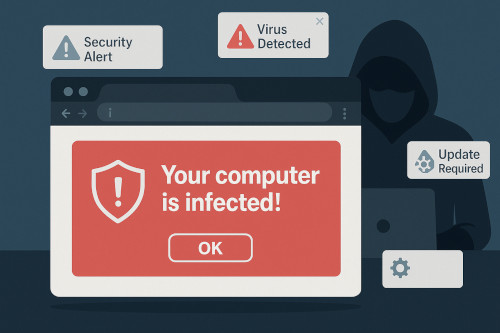
    • Using misleading language such as “Your computer is infected!” or “Critical security update required”
    • Convincing users to click Allow so the malicious website can begin sending ongoing scam notifications

    Once a user clicks Allow, the scam website can repeatedly trigger:

    • Fake virus warnings
    • Fake Windows or MacOS system alerts
    • Messages urging the user to download “security tools”
    • Prompts to call a fake “Microsoft support technician”
    • Links to malware downloads or credential-stealing phishing pages

    These alerts appear directly on the desktop, even if the user closes the browser, and often look like legitimate operating system messages. This is why employees fall for them so easily.

    The goal of these notifications is simple: push the user into panic and make them take immediate action.

    How Cybercriminals Use Fake Notifications to Compromise Systems

    Fake browser notifications have become a favorite tool of cybercriminals because they bypass many traditional defenses and rely on human psychology rather than technical exploits.

    Below are the most common attack techniques we see in the field:

    1. Tech Support Scams

    This is the most widespread form.

    A fake notification appears stating that:

    • The computer is infected
    • The user’s data is at risk
    • Microsoft or Apple has “detected unusual activity”

    The user is given a phone number to call. Once the victim calls:

    1. The scammer poses as a Microsoft technician.
    2. They request remote access to the machine.
    3. They “ diagnose” fake issues.
    4. They demand payment for repair services.

    In many cases, the attacker installs remote-access backdoors, making future intrusions trivial.

    Businesses often don’t discover the compromise until after data has been accessed or systems have been manipulated.

    2. Malware Downloads

    Fake notifications often instruct users to:

    • Update their browser
    • Install a security patch
    • Download an urgent “fix”

    These fake downloads typically contain:

    • Remote access trojans (RATs)
    • Credential stealers
    • Ransomware droppers
    • Adware or browser hijackers

    The user believes they’re installing a legitimate update, but instead they’re handing control of the system to an attacker.

    3. Credential Phishing Through “Account Locked” Alerts

    Another common method is a fake notice claiming:

    • Microsoft 365 login expired
    • Email password must be reset
    • Multi-factor authentication needs reconfiguration

    The link takes the user to a pixel-perfect imitation of an official login page. When the user enters their credentials, attackers capture their username and password, and often their MFA codes through adversary-in-the-middle techniques.

    Once inside, cybercriminals can:

    • Access email
    • Reset passwords
    • Plant forwarding rules
    • Launch Business Email Compromise (BEC) scams
    • Access cloud services such as SharePoint or OneDrive

    This type of attack is catastrophic for small businesses because it masquerades as routine account maintenance.

    4. Persistent Notification Flooding

    Even if the user doesn’t fall for the initial message, these notifications return again and again, wearing users down until they eventually click something dangerous.

    This persistence increases the likelihood of eventual compromise.

    Why Fake Browser Notifications Are So Effective

    Fake notifications succeed because they exploit both technology and human behavior.

    They look authoritative

    Notifications appear in the same location and style as real Windows or macOS alerts. This blurs the line between safe and unsafe.

    Employees trust their browser more than their inbox

    Most users have been trained to distrust suspicious emails but have not been trained to distrust fake browser warnings.

    The messaging triggers an emotional reaction

    Scam alerts use urgency and fear—two of the strongest drivers for human decision-making.

    They do not require sophisticated malware

    All the attacker needs is for the user to visit a compromised website or malicious ad. No vulnerability exploitation is required.

    They bypass antivirus

    These attacks rely on social engineering rather than malicious executables. Antivirus tools cannot prevent a user from clicking Allow on a browser pop-up.

    They target small businesses disproportionately

    Small businesses often lack:

    • Central device management
    • Controlled browser configurations
    • Zero-trust restrictions
    • Cybersecurity awareness programs

    This makes them prime targets.

    Real-World Impact on Small Businesses in California

    While many still believe cybercrime only affects large corporations, the reality is that the majority of successful attacks, especially social engineering attacks, hit small and rural businesses first.

    In recent years, numerous small California businesses have fallen victim to browser-notification–driven compromises:

    • A small agricultural office unknowingly granted remote-access to scammers, resulting in stolen banking credentials.
    • A local retail shop installed a fake antivirus “update,” which deployed ransomware across their POS systems.
    • A professional services firm suffered a Business Email Compromise after a staff member responded to a fake Microsoft 365 password reset prompt triggered from malicious notifications.

    In each case, the initial point of failure was not email, not a firewall breach, and not malware, it was a user responding to a fake browser alert.

    How NTELogic Helps Prevent and Mitigate Fake Browser Notification Threats

    At NTELogic, we take a layered approach to prevent these attacks from ever reaching your staff, and to quickly remediate incidents if they occur.

    Here’s how we protect your business:

    1. Xcitium Managed Endpoint Protection (MDR/EDR)

    Even if a user accidentally installs a fake “update,” Xcitium’s advanced MDR platform isolates unknown processes in a secure container. This ensures:

    • Malware cannot run
    • Credential stealers cannot execute
    • Ransomware cannot encrypt the system

    This single capability neutralizes the most destructive outcomes of fake browser alerts.

    2. Browser Hardening and Policy Enforcement

    For managed clients, NTELogic configures browser policies that:

    • Block unauthorized pop-up requests
    • Disable or restrict desktop notifications
    • Prevent the installation of malicious extensions
    • Force security-first browser settings across all devices

    These policies dramatically reduce exposure.

    2. Browser Hardening and Policy Enforcement

    For managed clients, NTELogic configures browser policies that:

    • Block unauthorized pop-up requests
    • Disable or restrict desktop notifications
    • Prevent the installation of malicious extensions
    • Force security-first browser settings across all devices

    These policies dramatically reduce exposure.

    4. URL Protection and Safe-Link Scanning

    For clients using our Advanced Email Protection:

    • Links are rewritten and scanned in real-time
    • Unsafe URLs are blocked before the page loads
    • Users are protected even outside the corporate network

    Because many notification scams originate from malicious ad networks, this reduces cross-channel exploitation.

    5. Cybersecurity Awareness Training

    With our Bullphish ID security awareness training platform, employees learn to identify:

    • Fake notifications
    • Browser-based malware delivery
    • Tech support scams
    • Credential phishing disguised as system alerts

    Training reduces the likelihood of human error, still the #1 cause of incidents.

    6. Local + Cloud Managed Backup

    If an incident results in system corruption, rollback is immediate. This protects your business against the rare case where malware gets installed despite safeguards.

    7. Rapid Incident Response and Remediation

    If you suspect an employee clicked a malicious notification, NTELogic:

    1. Investigates the source
    2. Terminates active threats
    3. Removes illegitimate notification permissions
    4. Reviews browser extensions
    5. Scans for remote-access tools
    6. Reviews sign-in logs and email forwarding rules
    7. Strengthens the affected workstation’s security policies

    We ensure the compromise is contained and that the user, and the organization, understands what happened and how to avoid it next time.

    How Businesses Can Reduce Their Exposure Right Now

    Even without an enterprise security platform, businesses can take these simple actions today:

    • Teach staff never to trust unsolicited alerts prompting installs, updates, or urgent action.
    • Restrict the ability for browsers to request notification permissions.
    • Keep browsers updated automatically.
    • Use a reputable ad blocker or DNS filtering solution.
    • Ensure backups are functioning and tested.

    But the most important step is partnering with a local, proactive IT provider that understands the evolving threat landscape, especially threats that evade traditional tools.

    NTELogic: Your Local Cybersecurity Partner in the Mother Lode and Central Valley

    Fake browser notifications are not harmless pop-ups, they are sophisticated social engineering tools built to steal money, credentials, and access. As these attacks continue to rise, small and rural businesses must strengthen their defenses beyond email filtering and antivirus.

    NTELogic is uniquely positioned to help local businesses because we combine:

    • 40 years of technology and emergency management experience
    • Best-in-class MDR/EDR protection
    • Advanced email and web filtering
    • Browser hardening
    • Cybersecurity awareness programs
    • Local + cloud backup
    • Rapid incident response

    We are part of this community. We’ve seen firsthand the impact of modern cyber threats on businesses across Tuolumne County, the Mother Lode, and the Central Valley. And we are committed to making sure your business stays secure, productive, and resilient.

    If you’d like an assessment of your exposure to browser-notification scams, or to explore how NTELogic can strengthen your cybersecurity posture, contact us anytime.

  • Why Dark Web Monitoring Is More Important Than Ever After the OnSolve CodeRed Data Breach

    Why Dark Web Monitoring Is More Important Than Ever After the OnSolve CodeRed Data Breach

    When news broke of the recent OnSolve CodeRed data breach, many businesses – especially those in rural communities like Tuolumne County – wondered what it meant for them. After all, OnSolve is a major provider of critical event management and emergency notification systems. A breach involving an organization of that size sends a clear message: no business, no matter how large or small, is immune to today’s cyberthreats.

    But beyond the headlines lies a deeper, more urgent issue: cybercriminals are no longer simply breaking into networks – they are rapidly selling what they find on the dark web. And once your data appears there, the risk of fraud, credential compromise, ransomware, or targeted attacks increases dramatically.

    This is why Dark Web Monitoring is now an essential component of every organization’s cybersecurity strategy.

    In this post, we’ll break down what happened with the CodeRed breach, why the dark web poses such a serious threat to businesses (especially in rural regions like the Mother Lode and Central Valley), and how proactive monitoring can help you stay ahead of danger instead of reacting after it’s too late.

    Understanding the OnSolve CodeRed Data Breach

    OnSolve’s CodeRed system is widely used by government agencies, emergency response teams, and municipalities to deliver alerts and notifications. While the full scope of the breach is still being evaluated, the incident underscores the reality that even large, well-funded organizations with robust cybersecurity programs can fall victim to sophisticated attacks.

    A breach involving a mass-notification system raises several risks:

    • Exposure of contact information including email addresses and phone numbers
    • Compromised credentials, allowing attackers to impersonate users
    • Supply-chain style risks, where attackers pivot from a major provider into smaller, dependent organizations
    • Phishing campaigns targeting users who expect legitimate notifications

    Once this information finds its way into criminal marketplaces, the impact is amplified, sometimes exponentially.

    This is where dark web activity becomes a major factor.

    What the Dark Web Really Is, and Why It Matters

    The dark web is not a place most people interact with directly. It’s a hidden portion of the internet where anonymity is the rule, not the exception. For cybercriminals, it serves as:

    • A marketplace for stolen data
    • A meeting place to coordinate attacks
    • A distribution channel for malware, credentials, exploits, and ransomware
    • A tool to identify which businesses are prime targets based on available data

    For example:
    If attackers obtain a list of emails from an emergency alert system, they can:

    • Sell those email addresses to phishing groups
    • Launch “credential stuffing” attacks
    • Use the data to craft highly targeted messages
    • Attempt to impersonate government or first responder organizations
    • Create SMS or phone-based scams

    Businesses that assume their size or location protects them are at the highest risk, because attackers know that smaller and rural companies tend to have weaker defenses.

    Why Rural Businesses Are Especially Vulnerable

    In areas like Tuolumne County, Calaveras County, and the broader Mother Lode region, many businesses fall into the category of small to mid-size. They typically:

    • Have fewer cybersecurity resources
    • Rely on a lean staff
    • Use older systems or out-of-date technology
    • Depend on vendors for IT support
    • Have limited time to focus on security hygiene

    Attackers know this.

    When data breaches occur – especially at large providers – the ripple effect often hits smaller businesses hardest. Real examples from rural California in the last decade show how devastating these attacks can be:

    • A small agricultural business in the Central Valley suffered a six-figure loss from a Business Email Compromise tied to stolen credentials.
    • A rural medical provider in Northern California experienced a ransomware incident linked to a leaked email/password pair.
    • Multiple small businesses in the foothills had their accounts compromised due to employee passwords appearing in dark web dumps.

    The takeaway is simple:
    Hackers aren’t targeting businesses. They’re targeting data.
    And rural businesses have valuable data just like everyone else.

    Dark Web Monitoring: Your Early Warning System

    Dark Web Monitoring is essentially a sentinel, one that works 24/7, continuously scanning criminal marketplaces, breach repositories, and hidden forums looking for:

    • Compromised emails
    • Leaked passwords
    • Stolen credentials
    • Exposed financial records
    • Company-specific data
    • Information tied to employees, vendors, or partners

    Our Dark Web Monitoring service is automated and constant. The moment your data appears in a new breach, we receive an alert and can take action.

    This matters because:

    1. Stolen Data Can Be Used Within Minutes

    Attackers rarely wait. They automate everything.

    If your email and password appear in a breach today, hackers may begin attempting logins within hours.

    Dark Web Monitoring gives you the jump you need to reset passwords, stop unauthorized access, and block suspicious activity.

    2. Hackers Sell Access Before You Know There’s a Problem

    Many companies have no idea their credentials have leaked.

    Dark Web Monitoring sees what you can’t, and what your staff won’t recognize until it’s too late.

    3. Phishing Attacks Become More Convincing

    With stolen data, criminals craft messages that look authentic.

    A phishing message targeting someone who uses CodeRed alerts, for example, may appear to come from emergency management services.

    Monitoring helps you identify and prepare for these targeted attacks.

    4. Credential Reuse Makes Attacks Far More Dangerous

    Employees often reuse passwords across:

    • Work email
    • Personal email
    • Social media
    • Banking or financial services
    • Client systems
    • Vendor portals

    A breach in one area puts all others at risk. Dark Web Monitoring helps identify those weak points.

    5. Compliance Requirements Are Tightening

    Many industries now require:

    • Continuous monitoring
    • Credential exposure alerts
    • Proof of breach detection
    • Incident response workflow

    Dark Web Monitoring forms the foundation of these requirements.

    What the OnSolve Breach Teaches Us

    The CodeRed incident reinforces a reality we’ve seen over and over:

    Security is no longer only about prevention. It’s also about detection and response.

    Even large organizations with full IT teams and advanced cybersecurity tools can face breaches. This means smaller businesses must shift their mindset from “We’re too small to be targeted” to “We must know the moment our data becomes exposed.”

    The longer compromised data remains undetected, the greater the risk.

    Dark Web Monitoring shortens that window dramatically.

    Real-World Scenarios: How Dark Web Monitoring Protects Your Business

    Scenario 1: A Compromised Work Email

    An employee’s email is found in a new breach. NTELogic receives an alert and immediately:

    1. Forces a password reset
    2. Reviews sign-in logs
    3. Verifies MFA is enabled
    4. Checks for forwarding rules (commonly used by attackers)
    5. Alerts leadership if suspicious activities appear

    This stops a Business Email Compromise before it starts.

    Scenario 2: Customer or Vendor Data Appears on the Dark Web

    Exposed vendor accounts can jeopardize your business too.

    For example, a vendor’s breached credentials could grant access to your billing portal, cloud storage, or shared systems.

    With monitoring, you can enforce resets proactively and avoid a downstream compromise.

    Scenario 3: An Employee Uses the Same Password on Facebook and Their Work Email

    This one is extremely common – and extremely dangerous.

    If the Facebook password leaks, attackers immediately try it on:

    • Outlook
    • Microsoft 365
    • Remote access portals
    • VPNs
    • Payroll systems

    Dark Web Monitoring identifies the exposure immediately.

    Scenario 4: Passwords for a Shared Mailbox Appear Online

    Shared accounts are especially dangerous because:

    • Many employees know the password
    • MFA is often disabled
    • Attackers can log in silently

    Monitoring alerts you to rotate the credentials and enable protections.

    How NTELogic Helps Businesses Stay Protected

    Our Dark Web Monitoring service is designed for local businesses that need real protection without enterprise-level complexity.

    We provide:

    Continuous monitoring

    24/7 scanning of dark web markets, criminal databases, and breach repositories.

    Alerts when your data appears in a breach

    You’re notified immediately when there is an issue.

    Guided response & remediation

    We don’t just alert you, we help you fix it.

    Integrated security

    Combined with our MDR/EDR platform, AEP, and Managed Backup services, this forms a full security stack.

    Protection tailored to rural businesses

    We understand the realities of bandwidth, staffing, and budget in the Mother Lode.

    Ongoing cybersecurity training

    To reduce risk from phishing, weak passwords, and targeted attacks.

    What You Should Do Next

    In light of the CodeRed breach and the increasing sophistication of cybercriminals, every business – large or small – should take a proactive step forward.

    Here’s what we recommend:

    1. Enable Dark Web Monitoring immediately

    If you’re not already enrolled, we can activate it in minutes.

    2. Enforce MFA everywhere

    If you’re unsure whether your team is set up, we can review it.

    3. Strengthen your password policy

    Long, unique passphrases are best.

    4. Review your backup and disaster recovery strategy

    Especially important for rural areas where internet outages can complicate recovery.

    5. Educate your users

    A trained team is your strongest defense.

    Final Thoughts

    The OnSolve CodeRed breach is a reminder that cybersecurity is not an IT issue, it’s a business continuity issue.

    Threat actors don’t discriminate based on location, business size, or industry. They harvest data at scale and sell it to whoever will pay for it.

    The best defense is staying ahead of them.

    Dark Web Monitoring gives you the visibility you need to protect your business, your staff, your customers, and your reputation.

    If you’d like to enable Dark Web Monitoring or integrate it into your full security stack, NTELogic is ready to help.