
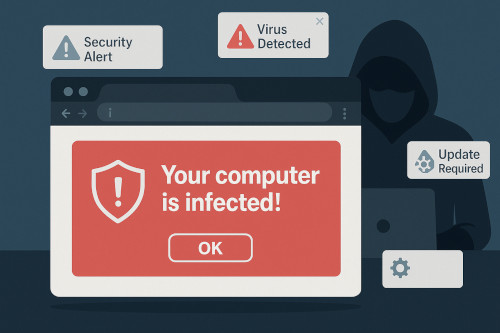
For years, businesses have invested in firewalls, antivirus platforms, cybersecurity awareness training, and email protection to keep cybercriminals at bay. Yet one of today’s most successful attack vectors doesn’t arrive as a suspicious email or an infected attachment. It arrives through the very thing employees use every day: the web browser.
Fake browser notifications, also called browser push-notification scams, malicious pop-ups, and fake system alerts, are rapidly becoming one of the most common ways cybercriminals trick users into installing malware, sharing credentials, or calling scam phone numbers. These attacks bypass traditional security layers and prey on a user’s trust in the browser or the operating system.
This growing risk is especially relevant for rural businesses throughout the Mother Lode and Central Valley, where lean IT staff and high daily workloads mean employees often “click first, think later.” In this environment, criminals know they only need one person to fall for a fake alert to create a costly incident.
At NTELogic, we see these threats on a weekly, and sometimes daily, basis. This post explains how fake browser notifications work, why they’ve become so successful, real-world impacts on small and mid-sized businesses, and how NTELogic’s layered security approach keeps your organization protected.
Understanding the Threat: What Are Fake Browser Notifications?
Modern browsers like Chrome, Edge, and Firefox allow websites to display push notifications, similar to mobile app alerts, after the user clicks Allow when prompted. This is a legitimate feature designed to let trusted sites send updates.
Cybercriminals exploit this feature by:
- Forcing pop-ups that imitate real browser messages
- Using misleading language such as “Your computer is infected!” or “Critical security update required”
- Convincing users to click Allow so the malicious website can begin sending ongoing scam notifications
Once a user clicks Allow, the scam website can repeatedly trigger:
- Fake virus warnings
- Fake Windows or MacOS system alerts
- Messages urging the user to download “security tools”
- Prompts to call a fake “Microsoft support technician”
- Links to malware downloads or credential-stealing phishing pages
These alerts appear directly on the desktop, even if the user closes the browser, and often look like legitimate operating system messages. This is why employees fall for them so easily.
The goal of these notifications is simple: push the user into panic and make them take immediate action.
How Cybercriminals Use Fake Notifications to Compromise Systems
Fake browser notifications have become a favorite tool of cybercriminals because they bypass many traditional defenses and rely on human psychology rather than technical exploits.
Below are the most common attack techniques we see in the field:
1. Tech Support Scams
This is the most widespread form.
A fake notification appears stating that:
- The computer is infected
- The user’s data is at risk
- Microsoft or Apple has “detected unusual activity”
The user is given a phone number to call. Once the victim calls:
- The scammer poses as a Microsoft technician.
- They request remote access to the machine.
- They “ diagnose” fake issues.
- They demand payment for repair services.
In many cases, the attacker installs remote-access backdoors, making future intrusions trivial.
Businesses often don’t discover the compromise until after data has been accessed or systems have been manipulated.
2. Malware Downloads
Fake notifications often instruct users to:
- Update their browser
- Install a security patch
- Download an urgent “fix”
These fake downloads typically contain:
- Remote access trojans (RATs)
- Credential stealers
- Ransomware droppers
- Adware or browser hijackers
The user believes they’re installing a legitimate update, but instead they’re handing control of the system to an attacker.
3. Credential Phishing Through “Account Locked” Alerts
Another common method is a fake notice claiming:
- Microsoft 365 login expired
- Email password must be reset
- Multi-factor authentication needs reconfiguration
The link takes the user to a pixel-perfect imitation of an official login page. When the user enters their credentials, attackers capture their username and password, and often their MFA codes through adversary-in-the-middle techniques.
Once inside, cybercriminals can:
- Access email
- Reset passwords
- Plant forwarding rules
- Launch Business Email Compromise (BEC) scams
- Access cloud services such as SharePoint or OneDrive
This type of attack is catastrophic for small businesses because it masquerades as routine account maintenance.
4. Persistent Notification Flooding
Even if the user doesn’t fall for the initial message, these notifications return again and again, wearing users down until they eventually click something dangerous.
This persistence increases the likelihood of eventual compromise.
Why Fake Browser Notifications Are So Effective
Fake notifications succeed because they exploit both technology and human behavior.
They look authoritative
Notifications appear in the same location and style as real Windows or macOS alerts. This blurs the line between safe and unsafe.
Employees trust their browser more than their inbox
Most users have been trained to distrust suspicious emails but have not been trained to distrust fake browser warnings.
The messaging triggers an emotional reaction
Scam alerts use urgency and fear—two of the strongest drivers for human decision-making.
They do not require sophisticated malware
All the attacker needs is for the user to visit a compromised website or malicious ad. No vulnerability exploitation is required.
They bypass antivirus
These attacks rely on social engineering rather than malicious executables. Antivirus tools cannot prevent a user from clicking Allow on a browser pop-up.
They target small businesses disproportionately
Small businesses often lack:
- Central device management
- Controlled browser configurations
- Zero-trust restrictions
- Cybersecurity awareness programs
This makes them prime targets.
Real-World Impact on Small Businesses in California
While many still believe cybercrime only affects large corporations, the reality is that the majority of successful attacks, especially social engineering attacks, hit small and rural businesses first.
In recent years, numerous small California businesses have fallen victim to browser-notification–driven compromises:
- A small agricultural office unknowingly granted remote-access to scammers, resulting in stolen banking credentials.
- A local retail shop installed a fake antivirus “update,” which deployed ransomware across their POS systems.
- A professional services firm suffered a Business Email Compromise after a staff member responded to a fake Microsoft 365 password reset prompt triggered from malicious notifications.
In each case, the initial point of failure was not email, not a firewall breach, and not malware, it was a user responding to a fake browser alert.
How NTELogic Helps Prevent and Mitigate Fake Browser Notification Threats
At NTELogic, we take a layered approach to prevent these attacks from ever reaching your staff, and to quickly remediate incidents if they occur.
Here’s how we protect your business:
1. Xcitium Managed Endpoint Protection (MDR/EDR)
Even if a user accidentally installs a fake “update,” Xcitium’s advanced MDR platform isolates unknown processes in a secure container. This ensures:
- Malware cannot run
- Credential stealers cannot execute
- Ransomware cannot encrypt the system
This single capability neutralizes the most destructive outcomes of fake browser alerts.
2. Browser Hardening and Policy Enforcement
For managed clients, NTELogic configures browser policies that:
- Block unauthorized pop-up requests
- Disable or restrict desktop notifications
- Prevent the installation of malicious extensions
- Force security-first browser settings across all devices
These policies dramatically reduce exposure.
2. Browser Hardening and Policy Enforcement
For managed clients, NTELogic configures browser policies that:
- Block unauthorized pop-up requests
- Disable or restrict desktop notifications
- Prevent the installation of malicious extensions
- Force security-first browser settings across all devices
These policies dramatically reduce exposure.
4. URL Protection and Safe-Link Scanning
For clients using our Advanced Email Protection:
- Links are rewritten and scanned in real-time
- Unsafe URLs are blocked before the page loads
- Users are protected even outside the corporate network
Because many notification scams originate from malicious ad networks, this reduces cross-channel exploitation.
5. Cybersecurity Awareness Training
With our Bullphish ID security awareness training platform, employees learn to identify:
- Fake notifications
- Browser-based malware delivery
- Tech support scams
- Credential phishing disguised as system alerts
Training reduces the likelihood of human error, still the #1 cause of incidents.
6. Local + Cloud Managed Backup
If an incident results in system corruption, rollback is immediate. This protects your business against the rare case where malware gets installed despite safeguards.
7. Rapid Incident Response and Remediation
If you suspect an employee clicked a malicious notification, NTELogic:
- Investigates the source
- Terminates active threats
- Removes illegitimate notification permissions
- Reviews browser extensions
- Scans for remote-access tools
- Reviews sign-in logs and email forwarding rules
- Strengthens the affected workstation’s security policies
We ensure the compromise is contained and that the user, and the organization, understands what happened and how to avoid it next time.
How Businesses Can Reduce Their Exposure Right Now
Even without an enterprise security platform, businesses can take these simple actions today:
- Teach staff never to trust unsolicited alerts prompting installs, updates, or urgent action.
- Restrict the ability for browsers to request notification permissions.
- Keep browsers updated automatically.
- Use a reputable ad blocker or DNS filtering solution.
- Ensure backups are functioning and tested.
But the most important step is partnering with a local, proactive IT provider that understands the evolving threat landscape, especially threats that evade traditional tools.
NTELogic: Your Local Cybersecurity Partner in the Mother Lode and Central Valley
Fake browser notifications are not harmless pop-ups, they are sophisticated social engineering tools built to steal money, credentials, and access. As these attacks continue to rise, small and rural businesses must strengthen their defenses beyond email filtering and antivirus.
NTELogic is uniquely positioned to help local businesses because we combine:
- 40 years of technology and emergency management experience
- Best-in-class MDR/EDR protection
- Advanced email and web filtering
- Browser hardening
- Cybersecurity awareness programs
- Local + cloud backup
- Rapid incident response
We are part of this community. We’ve seen firsthand the impact of modern cyber threats on businesses across Tuolumne County, the Mother Lode, and the Central Valley. And we are committed to making sure your business stays secure, productive, and resilient.
If you’d like an assessment of your exposure to browser-notification scams, or to explore how NTELogic can strengthen your cybersecurity posture, contact us anytime.